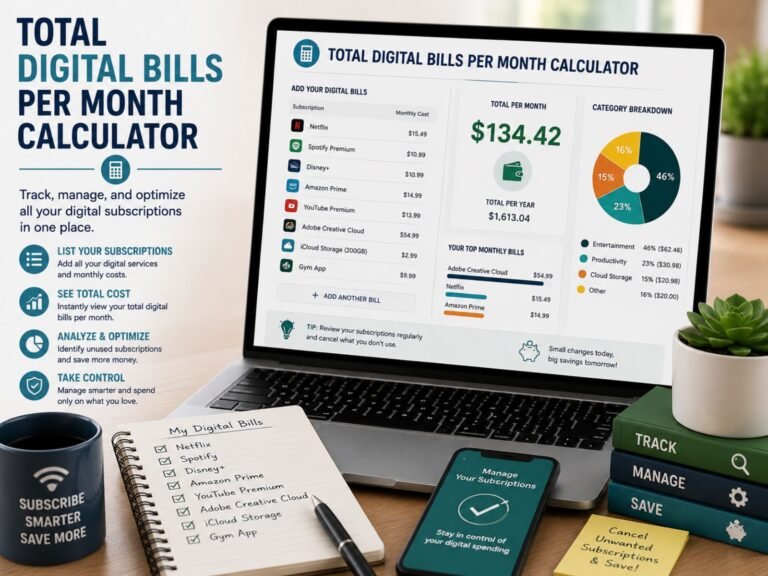
Monthly Subscription Tracker
Track your recurring subscriptions, calculate your total monthly and yearly spending, and find services you may want to cancel, pause, or review.
Add a Subscription
Subscription Summary
Your Subscription List
| Name | Category | Billing | Monthly Cost | Renewal Date | Status | Action |
|---|---|---|---|---|---|---|
| No subscriptions added yet. | ||||||
About This Monthly Subscription Tracker
A monthly subscription tracker is a simple budgeting tool that helps you monitor all of your recurring payments in one place. Many people sign up for streaming services, apps, software tools, gym memberships, cloud storage, news websites, delivery memberships, and free trials without realizing how much they are spending every month. Individually, these charges may look small. But when several subscriptions renew at different times, the total can become a major part of your monthly budget.
This tracker helps you list each subscription, choose its billing cycle, enter the cost, add the renewal date, and mark its status. The tool automatically converts weekly, monthly, quarterly, and yearly billing cycles into an estimated monthly cost. It also calculates your total monthly subscription spending, yearly cost, average subscription cost, highest monthly cost, and how many subscriptions may need review.
How to Use the Monthly Subscription Tracker
To use the tracker, start by entering the name of your subscription. This could be a streaming platform, music app, productivity software, mobile app, gym plan, online course, or any recurring service. Next, enter the cost and choose the correct billing cycle. For example, if you pay once a year, select yearly. If you pay every week, select weekly. The tracker will estimate the monthly equivalent so you can compare all subscriptions fairly.
After that, choose a category and add the next renewal date if you know it. The renewal date is useful because it reminds you when a payment may be charged again. Finally, select the subscription status. You can mark it as active, free trial, needs review, or cancel soon. Once you click the add button, the subscription will appear in your list and the summary numbers will update automatically.
Why Tracking Subscriptions Is Important
Subscription costs are easy to ignore because many of them are charged automatically. A small monthly charge may not seem important, but several small charges can add up quickly. For example, a few streaming services, a cloud storage plan, a music app, a software tool, and a gym membership could easily cost hundreds or even thousands of dollars per year. Tracking these payments gives you better control over your money.
A subscription tracker can also help you catch forgotten free trials. Many free trials turn into paid subscriptions if they are not canceled before the trial period ends. By recording trial subscriptions and renewal dates, you can decide whether to keep the service or cancel it before the first charge. This is especially helpful for people who frequently test new apps, online tools, or entertainment services.
What Subscriptions Should You Track?
You should track any service that charges you repeatedly. This includes monthly, yearly, weekly, and quarterly payments. Some common examples include video streaming services, music subscriptions, mobile apps, antivirus software, website hosting, cloud storage, meal delivery memberships, fitness apps, online learning platforms, news subscriptions, premium shopping memberships, and financial tools.
- Streaming services and entertainment platforms
- Music apps, podcasts, and audiobook services
- Cloud storage, software, and productivity tools
- Gym memberships and fitness apps
- News websites, magazines, and online learning platforms
- Shopping memberships and delivery subscriptions
- Free trials that may convert into paid plans
How to Reduce Monthly Subscription Costs
Once you have listed all your subscriptions, review each one carefully. Ask yourself whether you still use the service, whether a cheaper plan is available, and whether you are paying for duplicate services. For example, you may not need multiple streaming platforms at the same time. You may also be able to switch from a monthly plan to an annual plan if it offers real savings and you are sure you will continue using the service.
Another useful strategy is to mark subscriptions as “needs review” or “cancel soon” before the renewal date. This gives you time to check your account, download important files, use remaining benefits, or contact customer support if needed. If you notice a subscription charge you do not recognize, check your email receipts, app store subscriptions, PayPal account, bank statement, or card issuer for more details.
Monthly Subscription Tracker Disclaimer
This monthly subscription tracker is for personal budgeting and educational purposes only. It does not connect to your bank account, cancel subscriptions automatically, or provide financial advice. Always verify subscription charges through your official account pages, receipts, app store settings, payment provider, or bank/card issuer. If you want to cancel a subscription, use the official cancellation method provided by the company or billing platform.